
Dynamic points -mission
Step-by-Step Guide to Creating Dynamic points a Mission
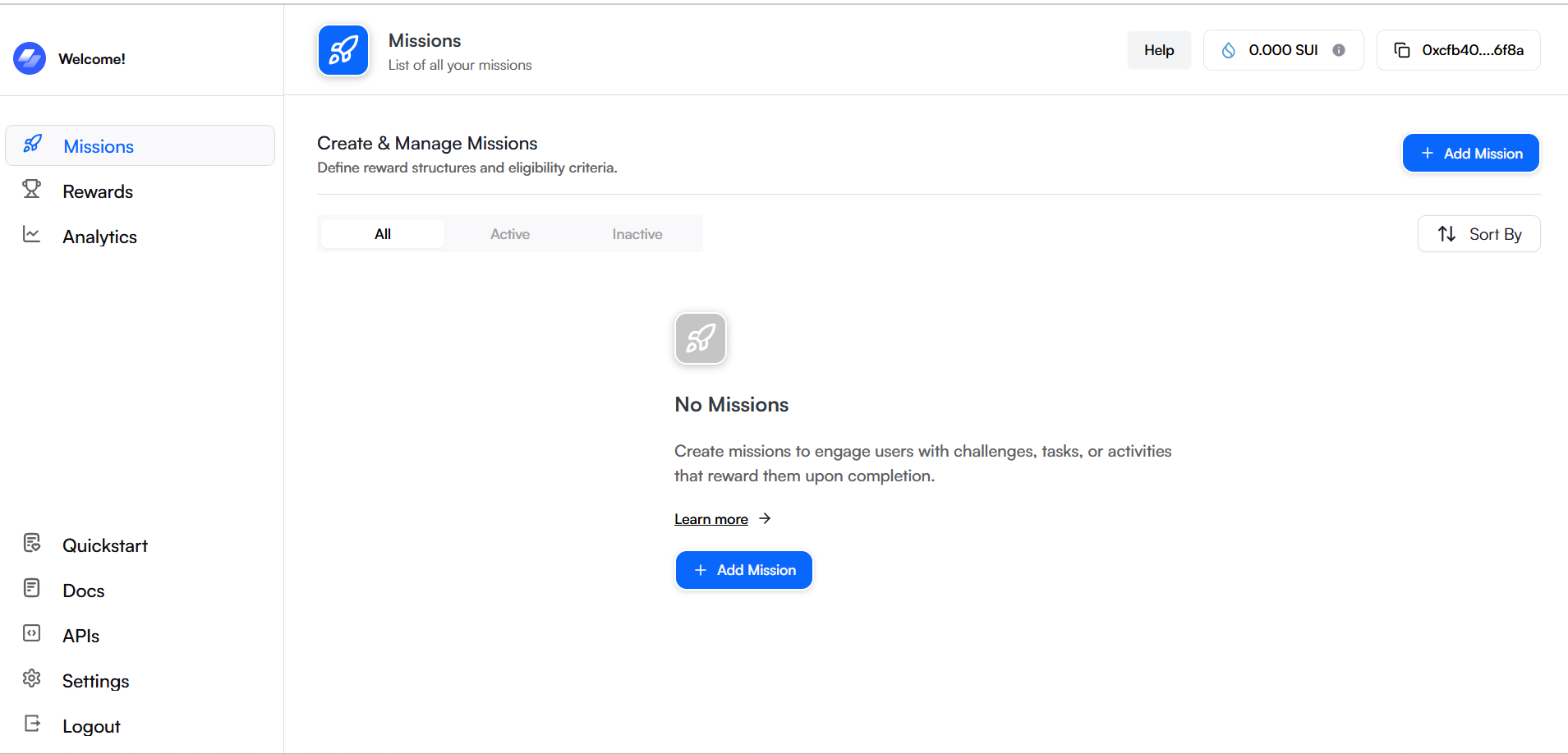
Step 1: Access the "Add Missions" Section
-
Log in to the Mojito Loyalty Admin Portal → Login Here.
-
Navigate to the Missions section from the dashboard.
-
Click on the "Add Missions" button to begin creating a new mission.
Step 2: Enter Basic Information Details
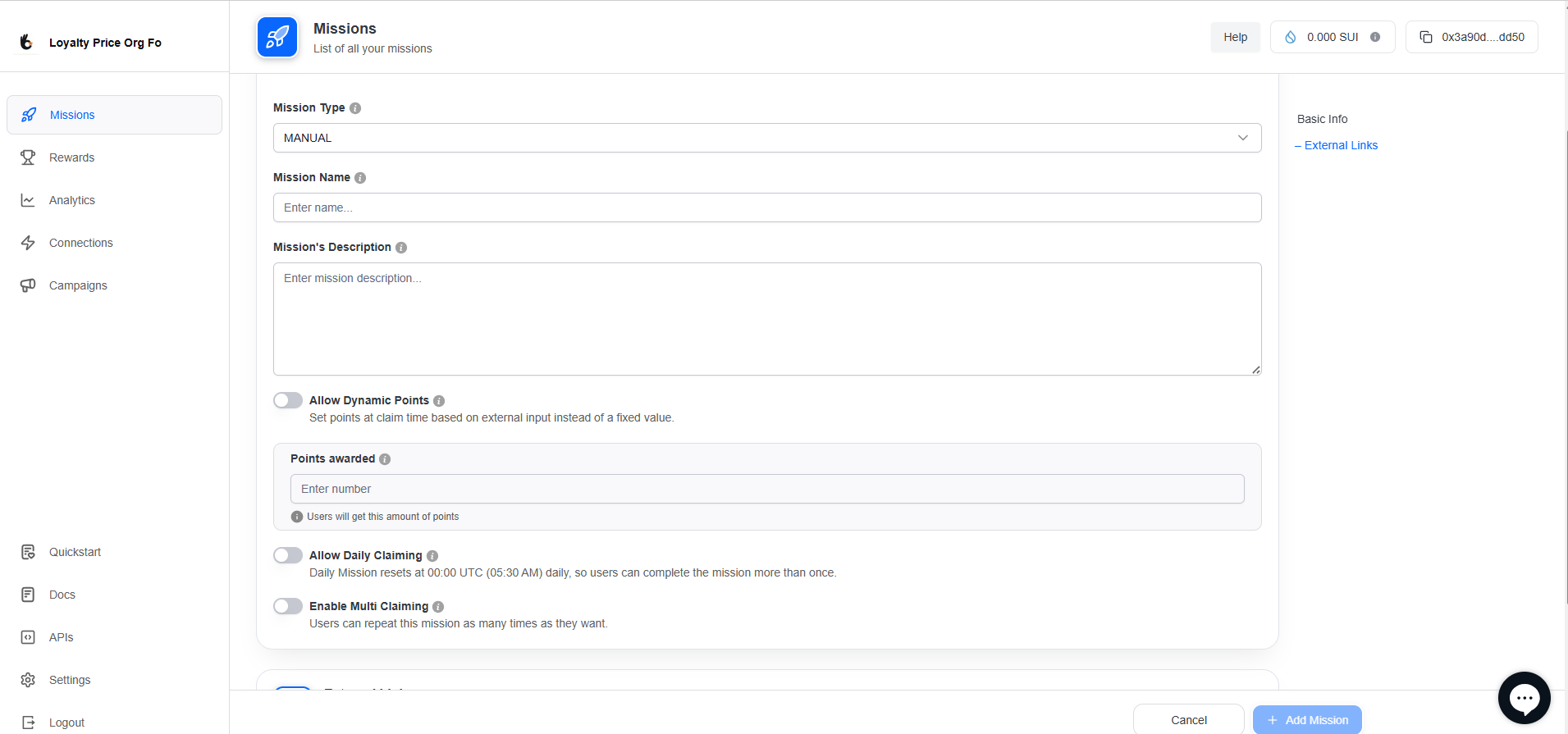
In this step, provide the essential details for your mission:
- Mission Type
- Manual: Missions require admin approval before completion.
- Mission Name: Give your mission a unique and descriptive title.
- Mission Description: Provide details about the mission, including instructions or requirements for users.
Dynamic Points with Claiming Options
-
Dynamic Points
Assign mission points at completion time based on external input or calculations.
When enabled, the Points Awarded section is removed, and points are set dynamically. -
Claiming Rules (Choose One)
You can enable only one of the below toggles along with Dynamic Points:-
⏰ Allow Daily Claiming
Mission resets at 00:00 UTC daily, allowing users to complete it once per day. -
🔁 Enable Multi Claiming
Users can Claim this mission unlimited times without daily reset.
-
⚠️ Note: Only one claiming option (Daily Claiming or Multi Claiming) can be enabled at a time along with dynamic points or you can create with only Dynamic point also
Step 3: Enter External Links Details
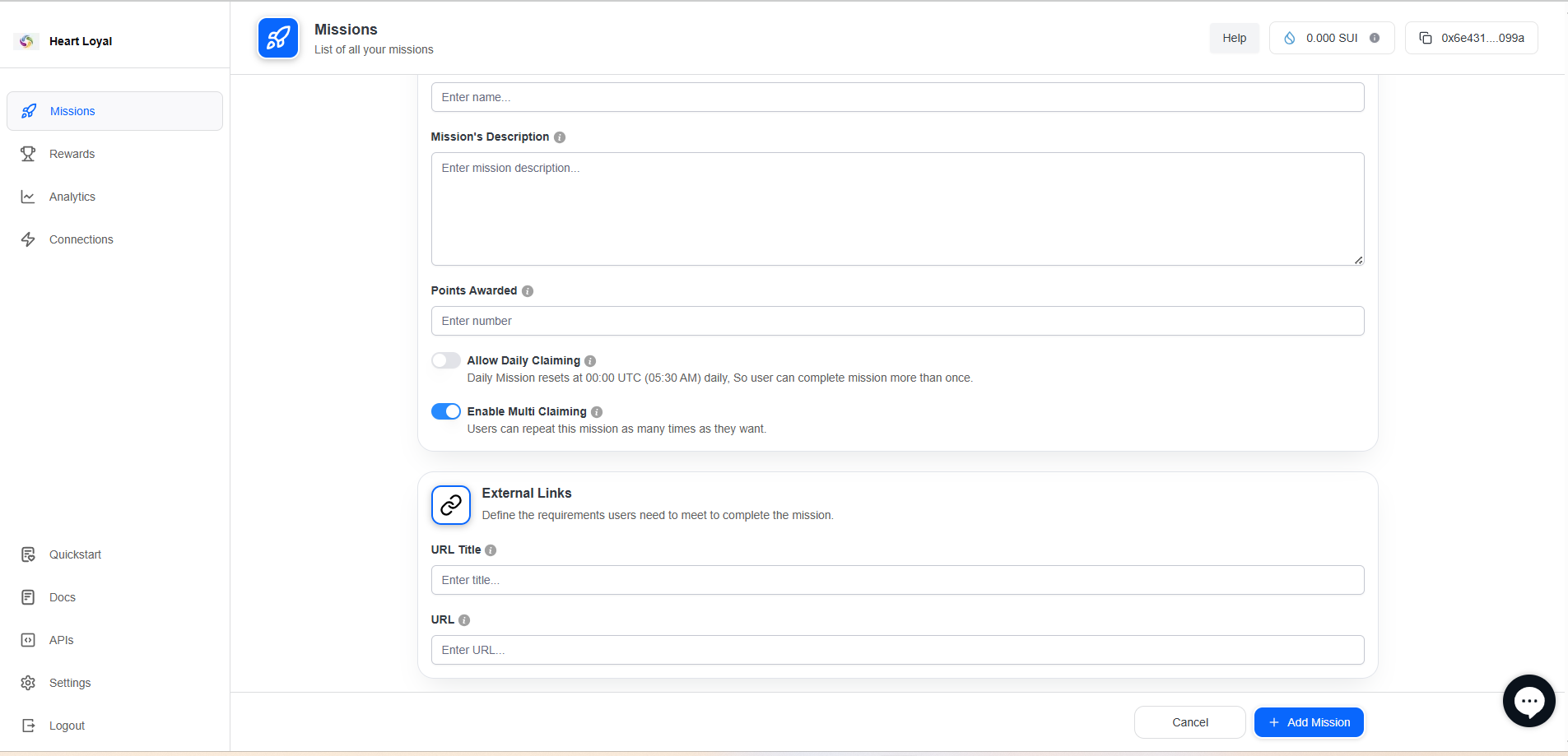
If users need to visit a webpage as part of the mission, provide the details here:
-
URL Title: Enter a title for the URL (if applicable).
-
URL: Provide the relevant URL that users need to visit.
Step 4: Finalize Mission Creation
-
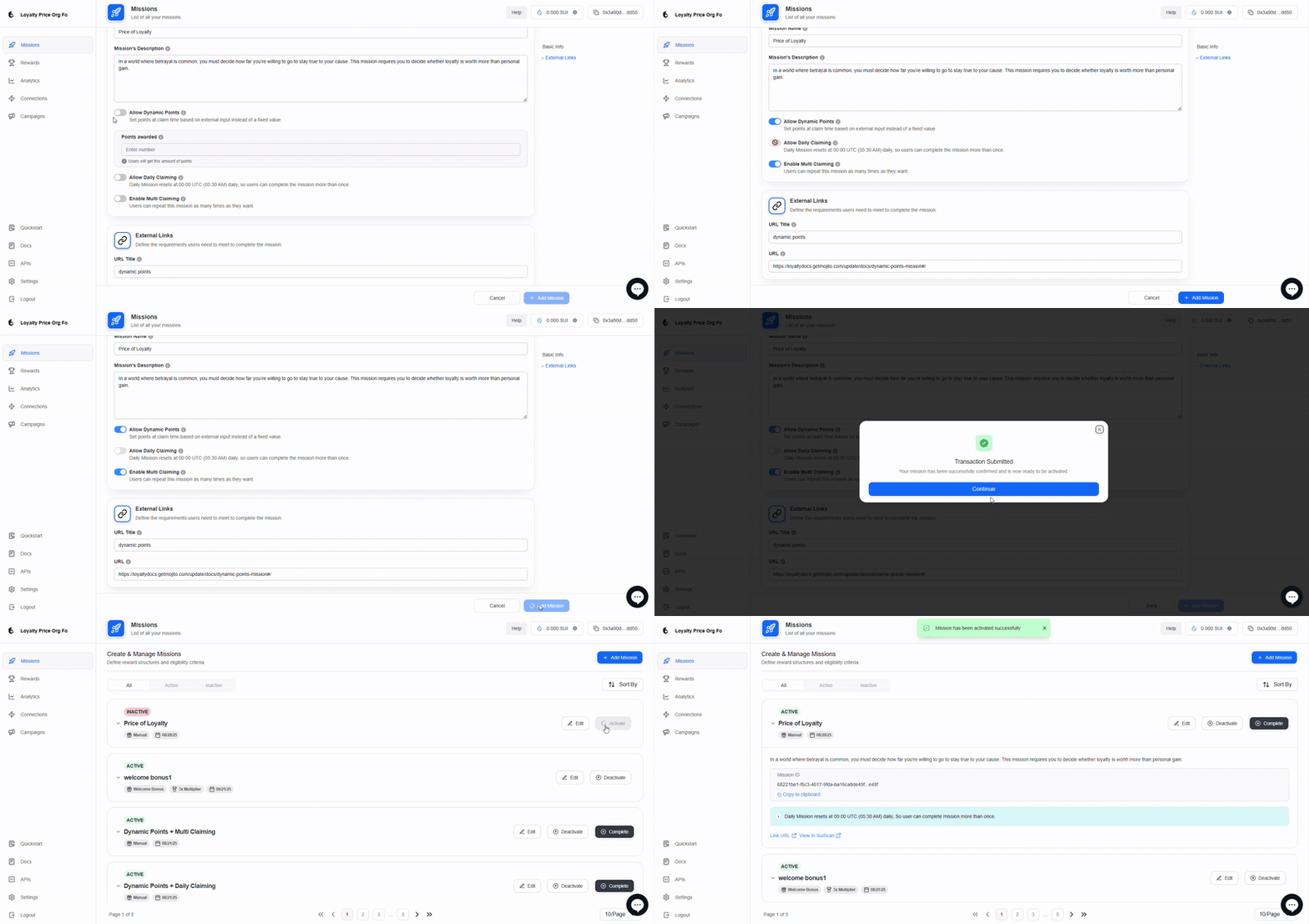
Review all the mission details and settings.
-
Once satisfied, click "Add mission" to finalize and create the mission.
-
Your mission is now live and ready for admin to activate!
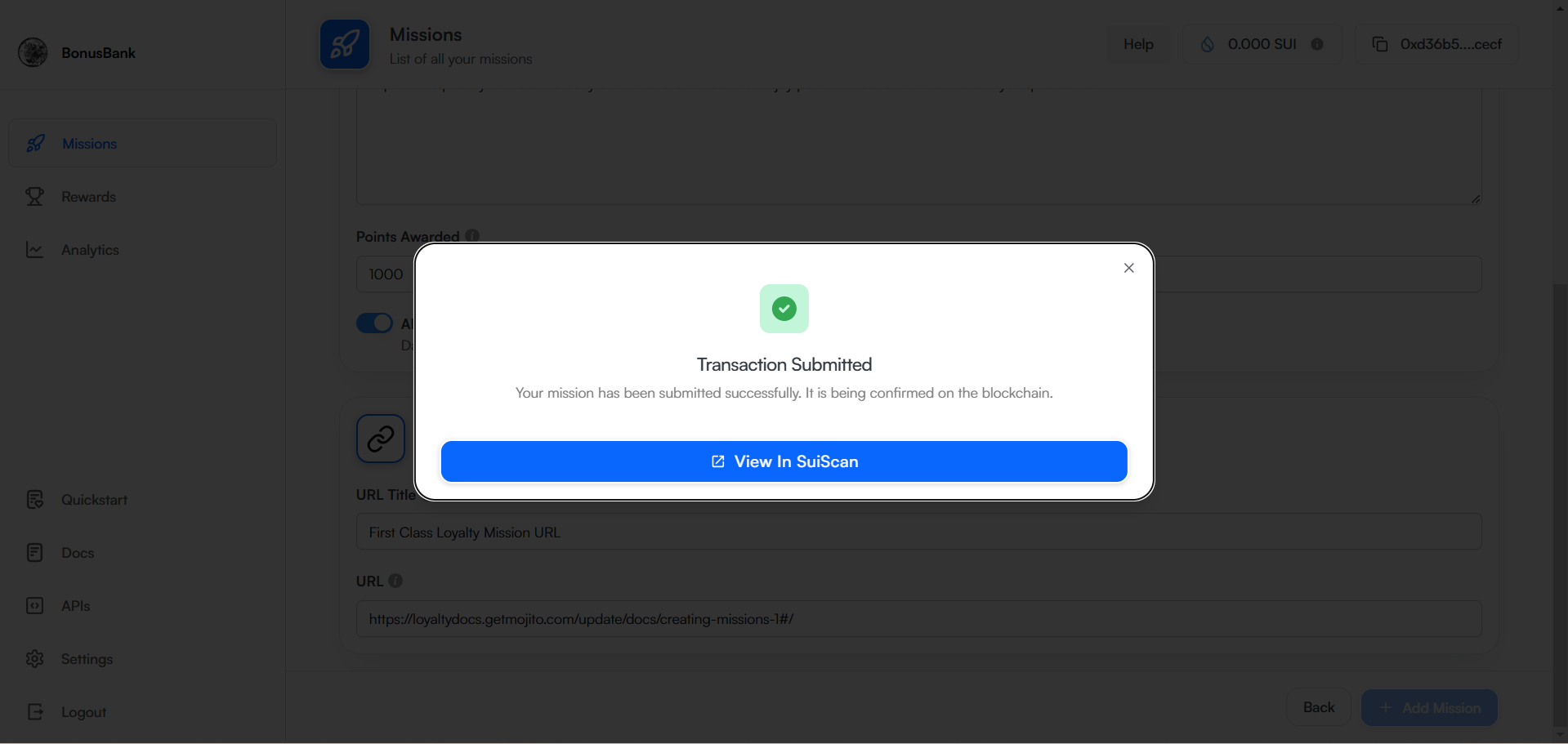
Step 5: Review Transaction Details
After creating the mission, check the Transaction Submitted Success popup for confirmation.
Step 6: Check on Missions list
Once you created mission will add under missions list with inactive state.
📘 Related Guides
How to Activate and Deactivate Missions
Updated about 1 year ago